Insert or Embed e-Learning Content into WordPress Plugin
Helping instructional designers, universities, and businesses get their e-learning content into WordPress since 2011.





Works with any tool
Upload any tool’s content & even custom content including Articulate Storyline, Rise, Studio, Adobe Captivate, Gomo, Elucidat & more! If the tool creates a HTML or HTM file, it’ll work!
Saves Time
Your content will look great no matter the content, theme, or device. Guaranteed! You can even launch it in Full Screen mode!
Responsive
Upload and display your content in 5 minutes or less no matter if you’re using the Gutenberg editor, Elementor, Divi, Beaver Builder, or the Classic Editor.
Fast Support
I’m an Engineering Manager at Articulate and have worked in the e-learning industry for over 14 years. I personally provide support for this plugin.
Trusted by over 30,000 instructional designers, universities and businesses
Brands you know and trust use our plugin









See real sites that use the plugin.
We’re proud that the world’s best organizations, schools, communities, teachers, companies, and freelancers are our customers.

What you can do with elearningfreak
Upload, display, track, and report on your content in 5 minutes or less.
Upload content in 5 minutes or less
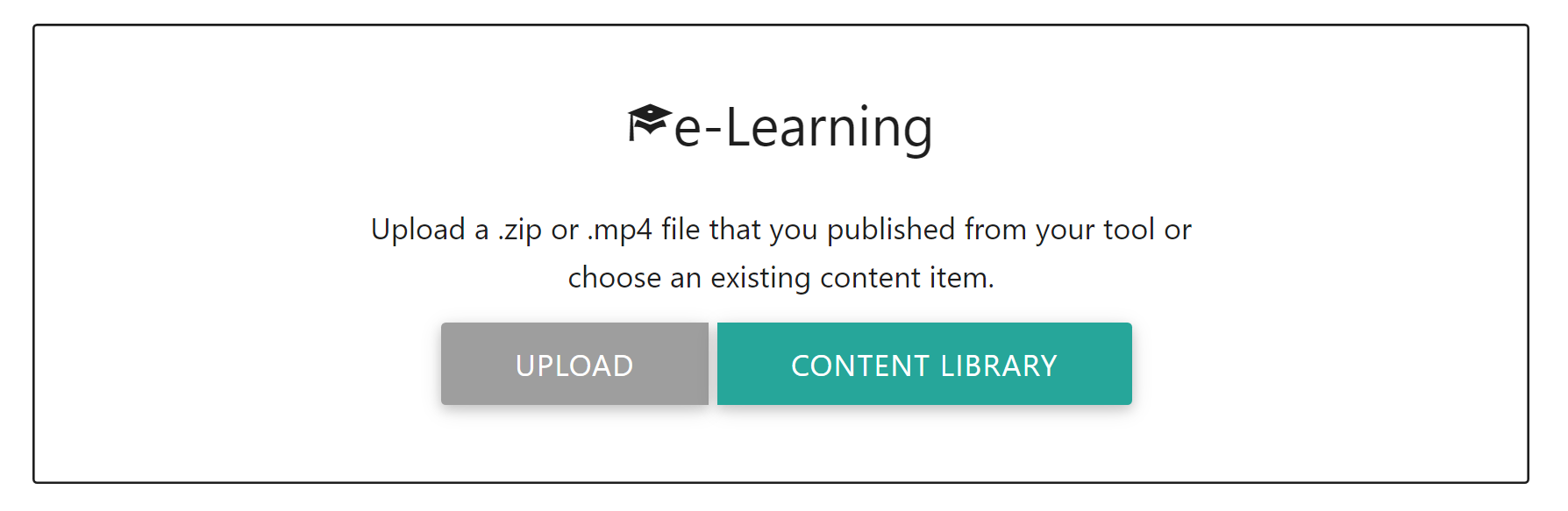
Create a new post or page in WordPress, insert an e-Learning block, and click Upload to get started.
Choose your display options
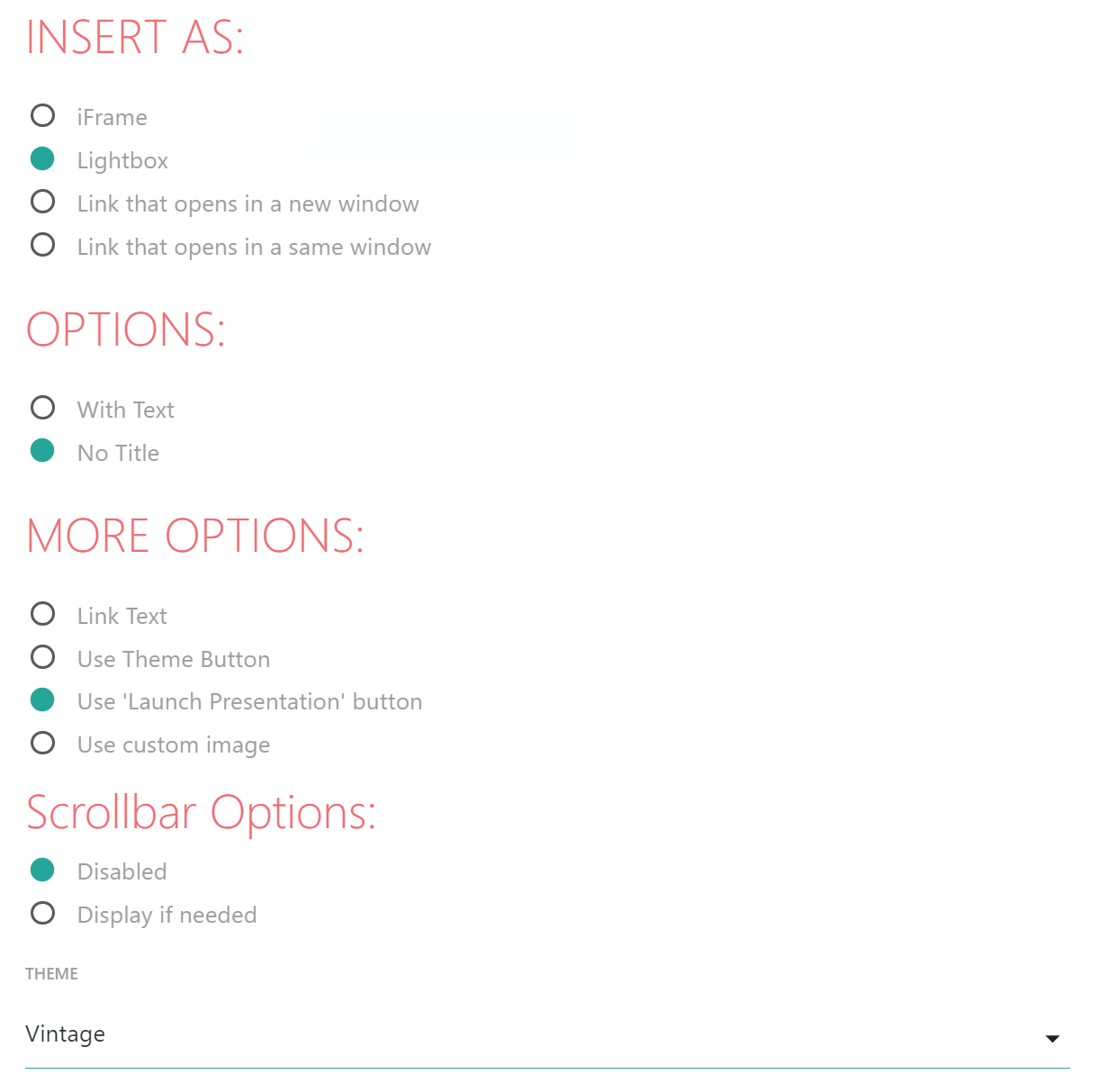
Insert your content as an iFrame, display it in a new window, display it in the same window, or use one of the 13 beautiful custom Lightbox themes to match your website.
Read more reviews.
Track and Run Reports
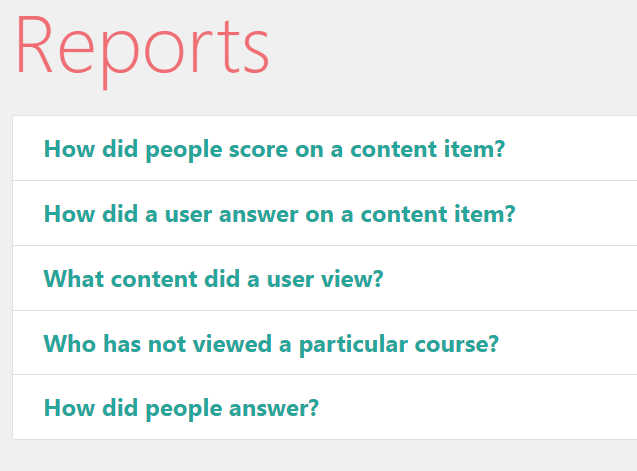
Articulate Storyline and Articulate Rise content can be resumed, tracked, and reported on. You’ll know exactly what content users have viewed, how they scored on your content, the answers they gave & so much more! We’re constantly working on new reports and features.
There’s no need to purchase another expensive WordPress plugin that charges according to your number of learners. We also don’t limit or charge you for the number of xAPI statements your content sends to your database. There’s no complicated setup. Install the plugin like any other premium WordPress plugin.
User Reviews
Don’t take our word for it, take theirs.

“Thank you, thank you thank you! Once again I am able to do the most amazing things with your plugin! 1000% worth the money, thank you!”
— Emily Chorley, Articulate Storyline Wonderwoman

“This plugin is great! It does exactly what I need it to do (embeds Storyline eLearning objects in my WordPress portfolio site so that potential clients or employers can see samples). Once it was installed, it didn’t take me more than a couple of minutes to figure out how to use it, and everything functions perfectly. Thanks for this plug-in!”
— Monique Babin, Learning Experience Designer

“If you’re looking to deploy true, interactive elearning modules rather than just video training, this plugin will save you time and aggravation. It also will make your training interface look fabulous.”
— Kelly Phillips, WP Plugin Coach
Read more reviews.

future proof
The elearningfreak plugin is the only e-learning plugin in the WordPress ecosystem that supports you as you grow your career as an instructional designer. You never have to worry that elearningfreak will be incompatible if your company switches authoring tools or if you decide to become a freelancer. We’ll always support every tool available to ensure the training content in your portfolio is future-proof.
The plugin is in active development and was created in 2011. Read about our exciting upcoming features in the roadmap and changelog.
Save 40% by writing about the plugin
We value customer feedback and want to reward you for spreading the word about our plugin. If you write a review, blog post, tutorial or YouTube video about our plugin, we will refund 40% of the cost that you paid for the plugin (up to $100). To claim this refund, please email a link to the content to us here and we will process the refund to the payment method used to purchase the plugin. To receive the refund, you must meet these conditions:
Blog posts/articles:
The articles must be at least 500 words long.
It must be accessible to search engines and include at least one dofollow link to elearningfreak.com
The article must feature the plugin. You can write about any topics you want including why you chose it, how it benefits your and your website, how you set it up, how it compares to other plugins, and so on.
It must remain your website for the foreseeable future.
YouTube videos:
The video description must feature one or more links to the plugin at elearningfreak.com
It must remain on YouTube for the foreseeable future.

Agency License
Best Value
$499
Install on up to 50 sites
Unlimited uploads
Responsive iFrames
13 beautiful lightbox themes
Launch content in new window or the same window
Custom launch buttons
Premium support
Feature improvements and bug fixes
Works with any tool including Articulate Rise, Storyline, Studio, Captivate, Lectora, Camtasia, iSpring, Elucidat, Gomo, Obisidian Black, and MindManager
Works with custom content, too
Upload any HTML file
Removes “Powered by elearningfreak.com” branding
Supports the Gutenberg editor
xAPI support for Storyline and Rise
Launch Content in Full Screen Mode
Multisite License
Perfect For Small Businesses
$199
Install on up to 5 sites
Unlimited uploads
Responsive iFrames
13 beautiful lightbox themes
Launch content in new window or the same window
Custom launch buttons
Premium support
Feature improvements and bug fixes
Works with any tool including Articulate Rise, Storyline, Studio, Captivate, Lectora, Camtasia, iSpring, Elucidat, Gomo, Obisidian Black, and MindManager
Works with custom content, too
Upload any HTML file
Removes “Powered by elearningfreak.com” branding
Supports the Gutenberg editor
xAPI support for Storyline and Rise
Launch Content in Full Screen Mode
Basic License
Great For Freelancers
$149
Install on 1 site
Unlimited uploads
Responsive iFrames
13 beautiful lightbox themes
Launch content in new window or the same window
Custom launch buttons
Premium support
Feature improvements and bug fixes
Works with any tool including Articulate Rise, Storyline, Studio, Captivate, Lectora, Camtasia, iSpring, Elucidat, Gomo, Obisidian Black, and MindManager
Works with custom content, too
Upload any HTML file
Removes “Powered by elearningfreak.com” branding
Supports the Gutenberg editor
xAPI support for Storyline and Rise
Launch Content in Full Screen Mode
Faq
Is there a free trial?
We don’t currently offer free trials. If the plugin doesn’t work as expected, we’ll give you a full refund within 30 days of your purchase. Simply contact me here.
Who should use elearningfreak?
elearningfreak is perfect for instructional designers, small businesses, large businesses, curriculum designers, training designers, educational technologists, elearning designers, and anyone else looking for the easiest way to get their content online.
If you have a WordPress website and you want a simple way to upload your e-learning or custom content into WordPress in 5 minutes or less, then you should use this plugin.
Will elearningfreak slow down my website?
No! elearningfreak has been carefully built to only load the html, scripts, and CSS necessary to display your content. We constantly audit the plugin to ensure that it does not affect your site speed or security.
What’s the difference between each license?
The elearningfreak plugin comes with a choice of several license options depending on your needs. Each license has the same features. We don’t make you pay more to get priority support. If you only need to install the plugin on 1 site, get the Basic License. If you need to install the plugin on additional sites, get the Multisite License that supports up to 5 sites. If you’re an agency or webshop, purchase the Agency License that supports up to 50 sites. About 3 days after you purchase the plugin, you’ll receive an email with details on upgrading your license if you’ve exceeded your site activations. We have always prorated our license upgrades. If you purchased a Basic License, you can apply the full amount you paid to the upgraded license. You can also upgrade to a Lifetime (perpetual) if you don’t like subscriptions.
How can I cancel my subscription?
Cancelling your subscription is easy. You can either log into your account and do it yourself. Or contact me to cancel. First, login to your account here: https://www.elearningfreak.com/your-account/. If you can’t find your account information to login, just click on “Lost Password” and follow the steps to login to your account. After logging you, at the bottom of the page you’ll see your Active Subscriptions. Click on the Cancel link to cancel your subscription.
What happens when my subscription ends?
When your subscription ends, the plugin will go back into trial mode. You will no longer be able to upload content, but your existing content will continue to work as expected. You’ll also see a “Powered by elearningfreak.com” link below the content.
What authoring tools does the plugin work with?
Every tool that produces a .html or .htm file can be uploaded with the plugin. Whether you’re using Easygenerator, Articulate Storyline, Articulate Rise, Adobe Captivate, Articulate 360, isEazy Author, Elucidat, Lectora, Gomo, Camtasia, Evolve, Genially, Adapt, or any tool, the plugin will be able to upload and display the content in 5 minutes or less. It even works with custom HTML. If you’re an e-learning designer that prefers to custom build their content, the plugin will upload it, too!
The elearningfreak plugin is the only e-learning plugin in the WordPress ecosystem that supports your career as an instructional designer. You never have to worry that elearningfreak will be incompatible if your company switches authoring tools or if you decide to become a freelancer. We’ll always support every tool available to ensure your training content in your portfolio is future-proof.
Is there SCORM, AICC, or xAPI support?
The plugin will upload and display any content regardless of the specification that it was published to including SCORM 1.2, SCORM 2004 2nd Edition, SCORM 2004 3rd Edition, SCORM 2004 4th edition, AICC, and xAPI. While many other plugins will display an error when launching some of those formats like “unable to acquire LMS API, content may not play properly and results may not be recorded”, the plugin was specifically designed to enable to play the content just like it was inside of an LMS or playing from SCORM Cloud.
While the plugin does upload and display content in SCORM, AICC, and xAPI formats, it only supports tracking, reporting, and resuming of content that is published to the xAPI format. For more information, see this article on how to publish Articulate Storyline and Articulate Rise content to xAPI to take advantage of all of the reports available in our plugin..
Are there any coupons or discount codes?
While we don’t currently offer any discount codes, coupons, or promotions, there are tons of ways to offset the cost of the plugin. You can get a 40% refund on your purchase by writing about the plugin or recording a YouTube video. We also offer a referral program that rewards you with $30 USD for each purchase you refer. For more information, see this page.
Do you offer support?
Absolutely! The plugin is supported directly by the creator of the plugin. Read more about me here.
Where are you located?
We’re located in the United States. Read more about me here.
Does the plugin work with LearnDash, LifterLMS, Sensei, LearnPress and other LMS plugins?
With built-in xAPI support, elearningfreak is a standalone LRS (Learning Record Store) that complements the best WordPress LMS’s in the world. While elearningfreak may be the only WordPress LMS or LRS you need, we make it easy to get your e-learning content into LearnDash, LifterLMS, Master Study LMS, Sensei LMS, LearnPress, memberpress, Tutor LMS, MasterStudy LMS, Masteriyo, Tutor LMS, CLUEVO LMS, Namaste! LMS, accessally & more!
Ready to start building the portfolio of your dreams?
Everything you need to get your e-learning content into WordPress in 5 minutes or less.